For checking and testing we used several utils.
Tool Cppcheck for static analysis for C/C++ code (version 2.7). It provides unique code analysis to detect bugs and focuses on detecting undefined behaviour and dangerous coding constructs.
Catch2 framework (version 3.4.0) for unit testing.
LLVM tools (version 14.0.0) for shows code coverage. llvm-profdata merge for merging into the single indexed profile data file. And llvm-cov tool what the shows code coverage information for programs that are instrumented to emit profile data.
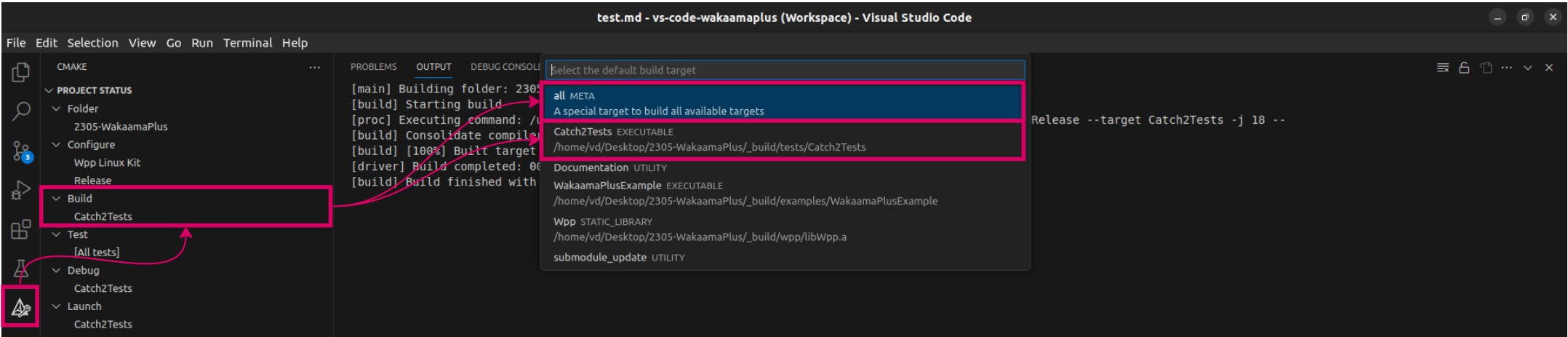
The test block was run if you build next target: All or Catch2Tests.
Start the VS Code IDE. Select the CMake extension. Select the build type using Set Build Target. Selecting All or Catch2Tests and clicking Build will start building the project and building the executable with the tests.
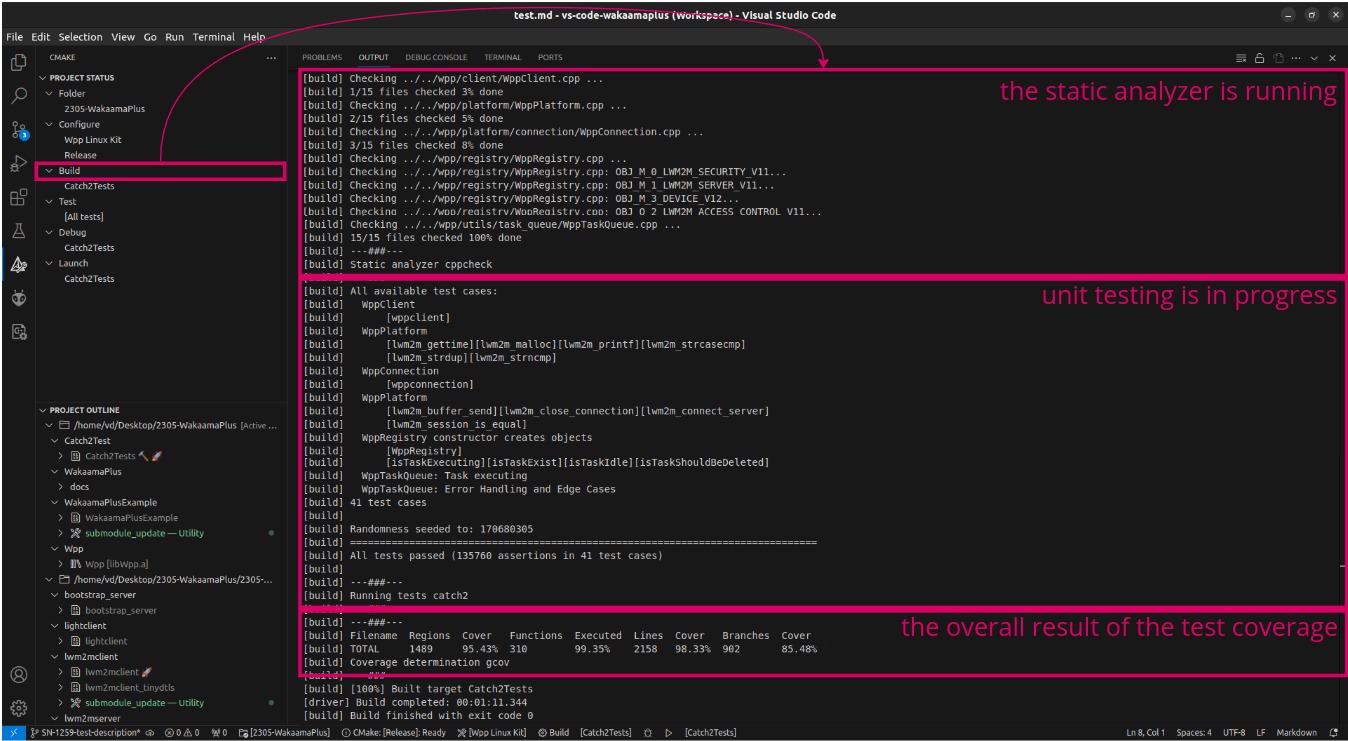
After the project build process, the static analysis is automatically run, then the unit tests, and finally the overall coverage is displayed.
All results are displayed in the OUTPUT field. You can check the status after running the static analyzer and view parts of the code with warnings to avoid problems while the program is running. View test results. for example, which tests failed or which test cases were successfully executed. The total number of tests that were executed. And Finally, you see the test coverage report to understand how many code areas are untested. And after viewing the extended coverage report, you can see specific parts of the code that were not called and were not checked.
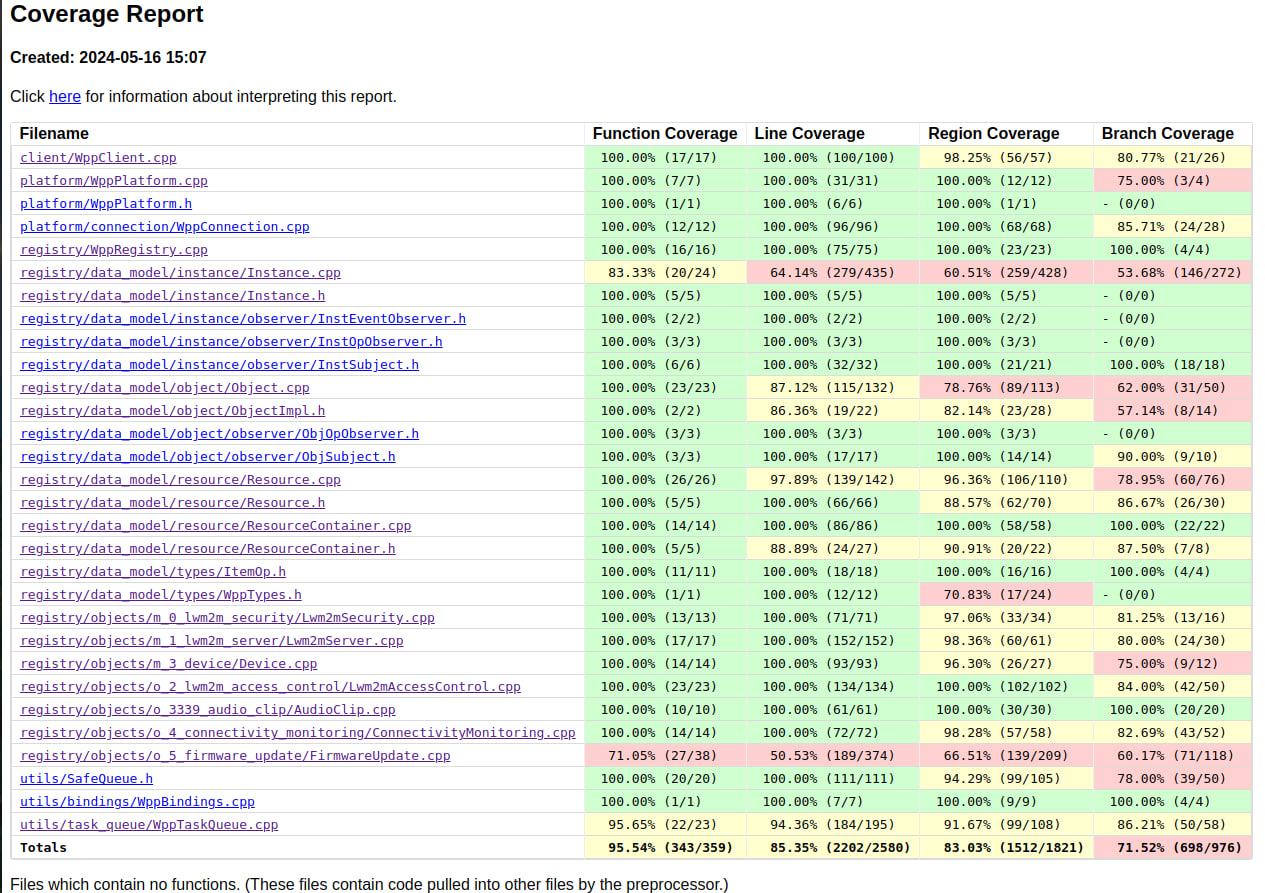
For a detailed coverage report, open index.html in your browser (full path _build/tests/coverage/index.html).
Detalized report for all errors or warnings you can see in _build/tests/cppcheck_report.xml.
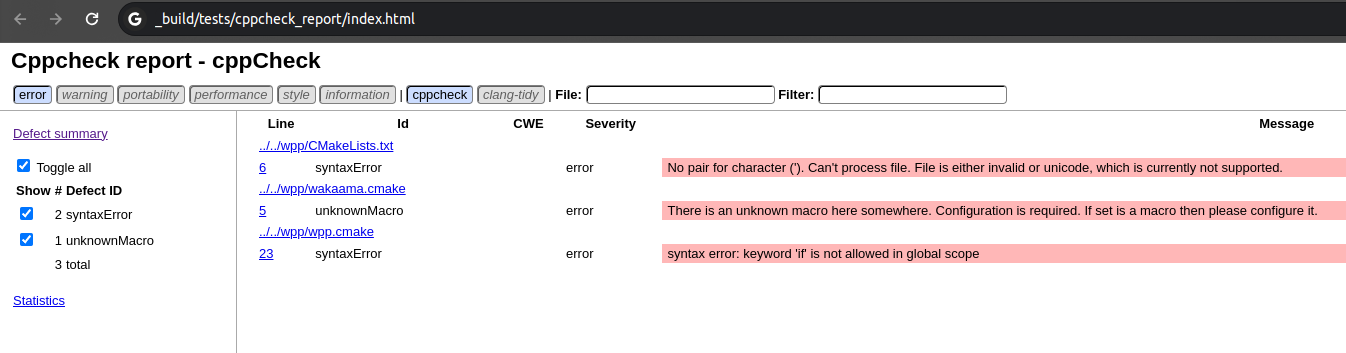
But, if you need a more user-friendly interface - run the command below in the folder _build/tests/ and open _build/tests/cppcheck_report/index.html for the report in visual form. On this page, you can filter by message type and view the location of the warning in the file.